
TAXPAYER USER MANUAL
Navigating tax compliance can feel overwhelming for many businesses, especially when it comes to understanding when and how to step away from Corporate Tax obligations. To make this process easier, the Federal Tax Authority (FTA) provides a streamlined way for registered taxpayers to apply for Corporate Tax De‑Registration through the Emara Tax portal.
Whether a business has closed its doors, undergone structural changes, or simply no longer meets the criteria for Corporate Tax registration, the FTA outlines clear conditions under which de‑registration can be requested. These include situations such as cessation of business activities, sale or merger of the business, domiciliation, or other valid reasons recognized for Corporate Tax purposes.
This guide walks you through the essentials — helping you understand eligibility and preparing you to submit your Corporate Tax De‑Registration application with confidence through the Emara Tax platform.
LOGGING IN TO EMARATAX
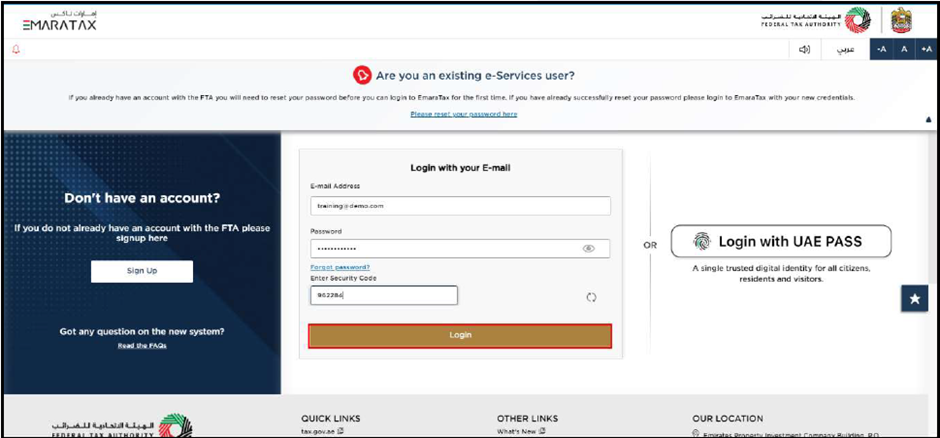
You can log in using your Emara Tax credentials or UAE Pass. If you do not have an account, click Sign Up. If you forgot your password, use the Forgot password? option to reset it.
NAVIGATING TO THE TAXABLE PERSON DASHBOARD
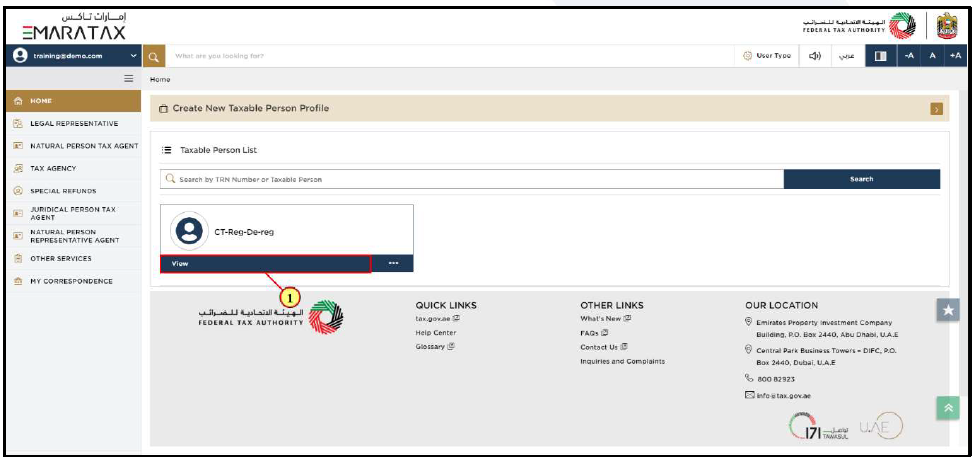
From the home screen, select the Taxable Person profile and click View to open the dashboard.
STARTING CORPORATE TAX DE‑REGISTRATION PROCESS
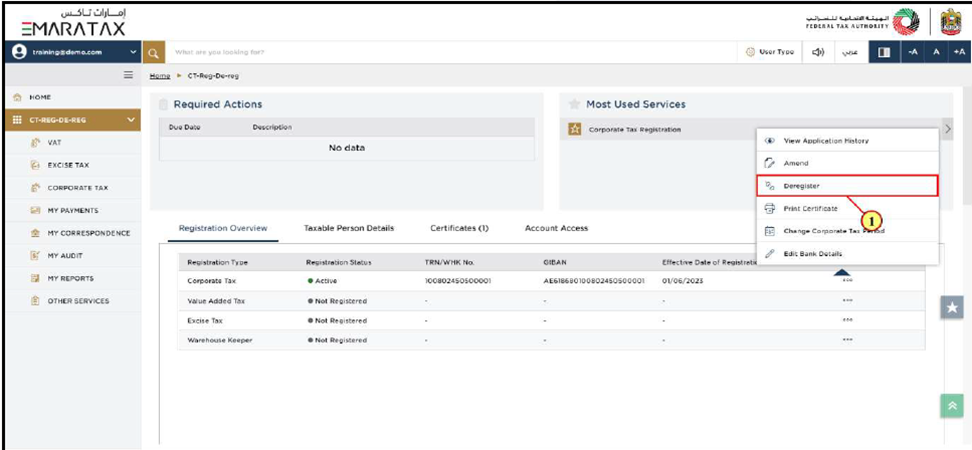
On the dashboard, locate your Corporate Tax Registration and click the … menu. Select Deregister to begin the application.
INSTRUCTIONS & GUIDELINES PAGE
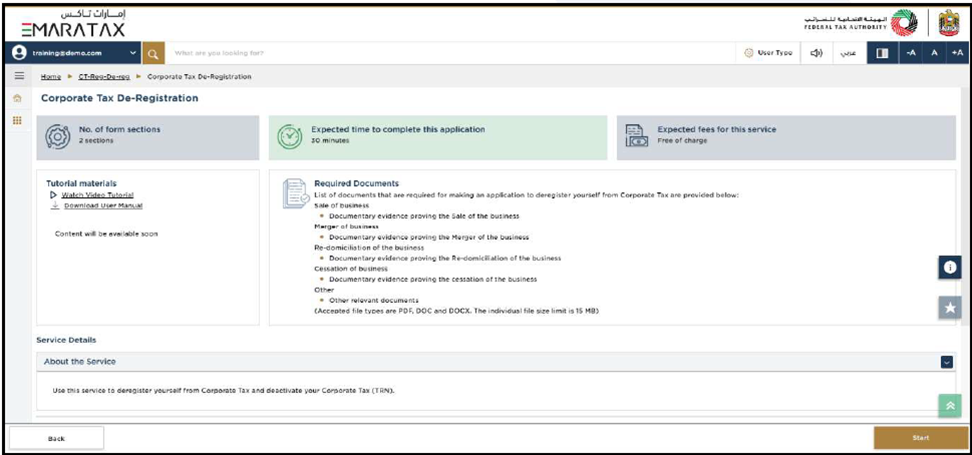
This page explains:
- Eligibility requirements
- Required documents
- Expected completion time
- File size and format rules
Required documents include evidence of:
- Sale of business
- Merger
- Redomiciliation
- Cessation
- Other relevant documents
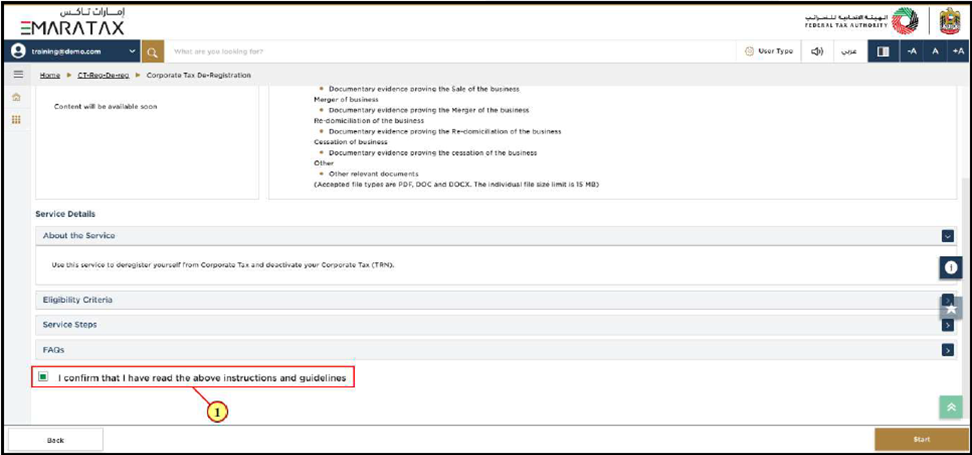
Click Start after confirming you have read the guidelines.
DE‑REGISTRATION DETAILS SECTION
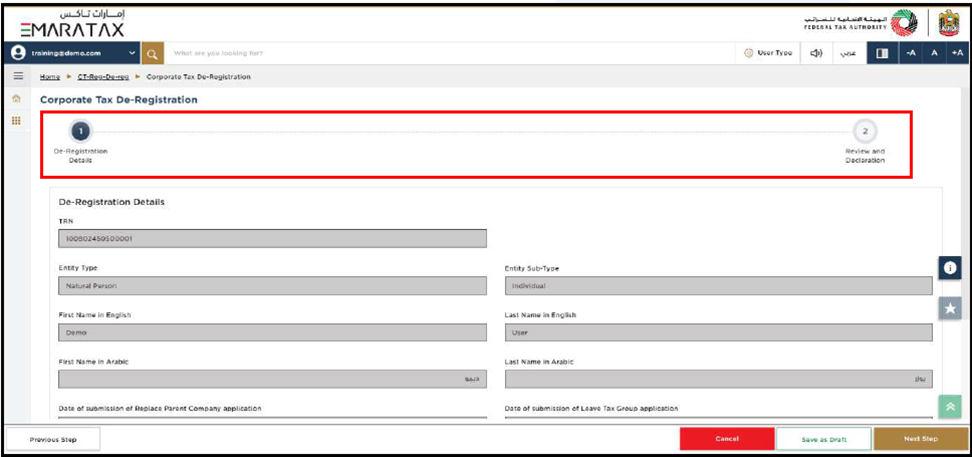
This section is divided into two parts:
A. Applicant Details
These fields are pre‑populated and cannot be edited.
B. Business Cessation Details
You must enter:
- Date of cessation
- Reason for cessation
- Detailed explanation
- Supporting documents (PDF/DOC up to 15 MB)
Once all mandatory fields are completed, click Next Step.
REVIEW & DECLARATION :
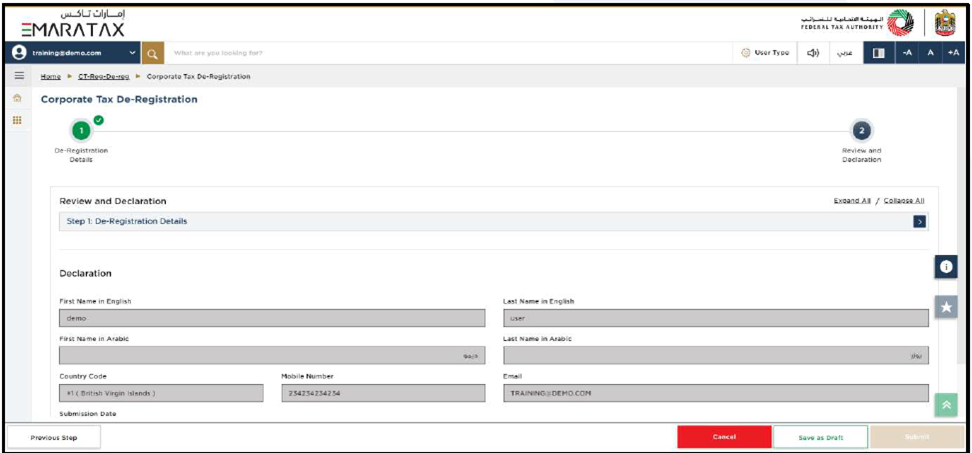
This page displays all information entered in the application. You must:
- Review all details carefully
- Tick the declaration confirming accuracy